CASE STUDY

The Kissof Shame

The world's very first AI-enhanced magnetic tape emulation

Product DesignAlgorithm TuningUX ResearchBrand Strategy
It's the Greatest Thing Since Sliced Tape - Kiss of Shame
PROCESSING
SCROLL
Design Philosophy

Interface > Algorithm

With most pro-audio software, the user experience is an afterthought. I inverted this paradigm. The UI design dictated the algorithm design.

The Minimal Feature Set

While most analogue tape emulation DAW plugins overflow the UI with endlessly tweak-able parameters, every pixel on the Kiss of Shame was designed with the utmost intention. Rather than overwhelming users with technical faculities, I distilled the tape emulation into its most essential, sonically-relevant controls.

The central 'Shame' knob was my north star: A single control that elegantly orchestrates complex interactions between a host of high-fidelity emulative signal processing including drift, wow, flutter, and scrape-flutter. The first + the latter have still never been modeled by any other SW offering in the digital audio domain.

Algorithm Constraints

Real-time Performance:

Each algorithm was optimized for zero-latency processing

Musical Relevance:

To optimize perf, only phenomena that enhanced had measure effect on source signal character were modeled

Intuitive Control:

Complex processes mapped to simple, expressive parameters rather than a host of buttons, switches and drop down menus

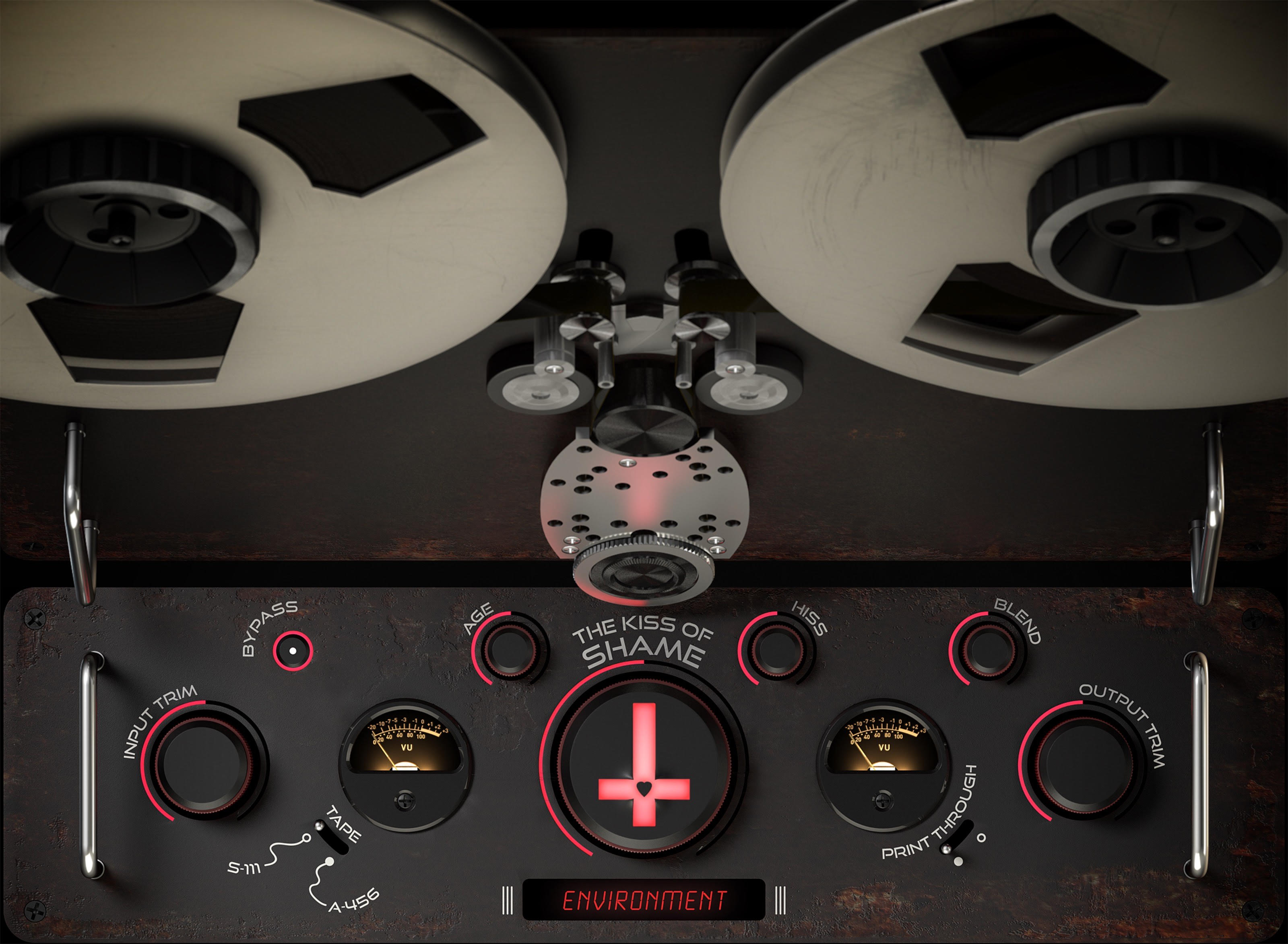
Complete Kiss of Shame plugin interface showing all controls and tape machine design

Complete plugin interface: Design-driven approach where visual elements directly influenced algorithmic development
Design Process

Iterative Refinement

Through rounds of data + intuition-driven iteration, I consolidated parameters and coordinated interface development with algorithm refinement to achieve a minimal yet powerful feature space.

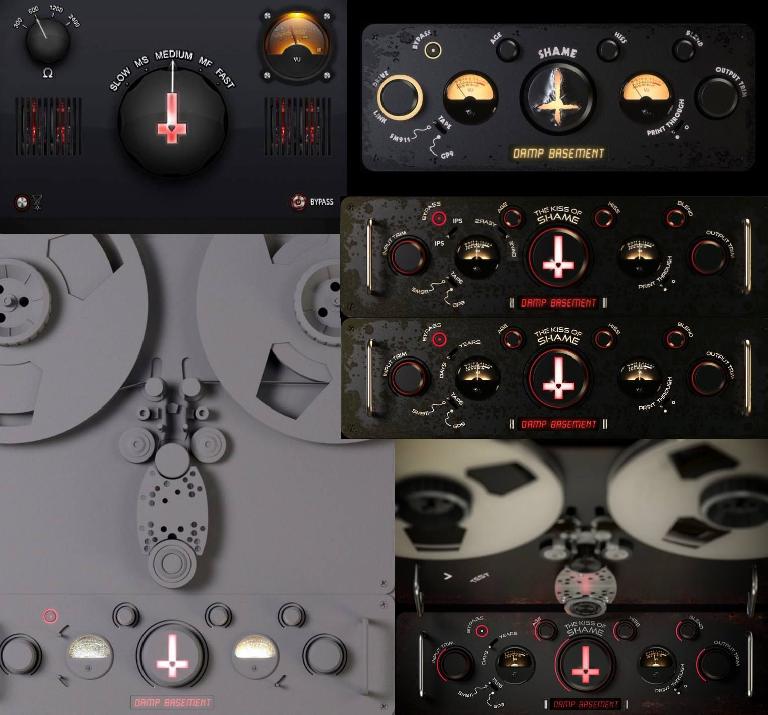
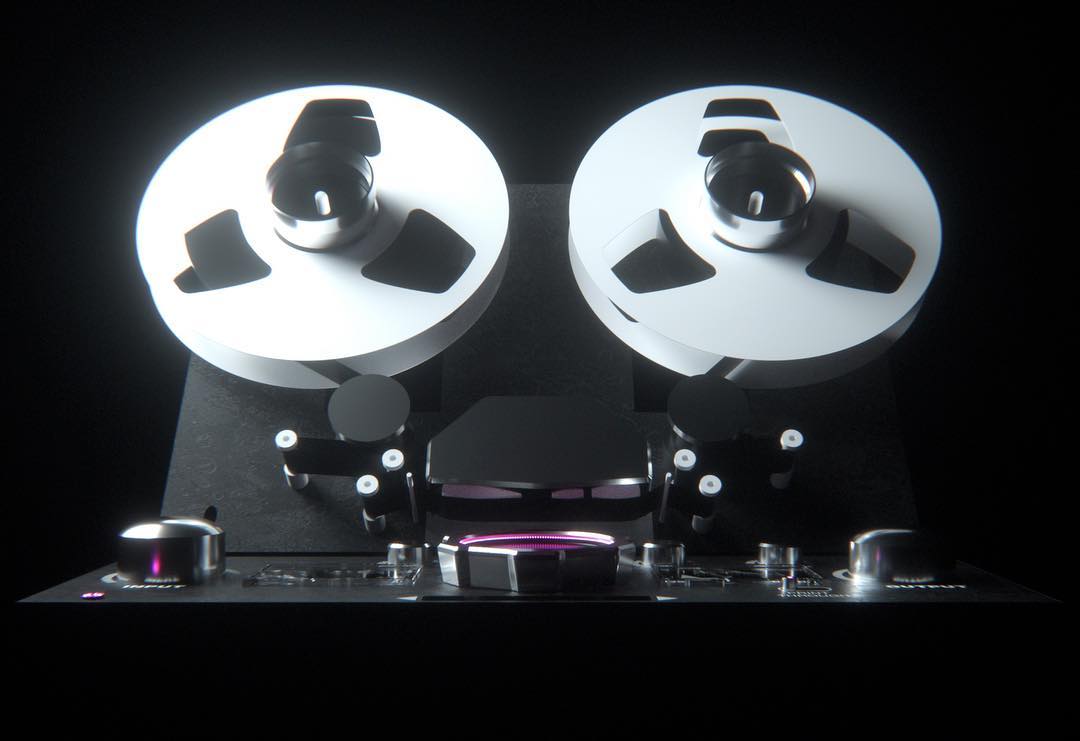
Design iterations showing evolution from concept to final interface, including physical tape reels and multiple UI variations

From Complexity to Clarity

Early mockups explored either entirely different feature spaces and varying layouts. Via rigorous testing + user feedback, we systematically eliminated redundant controls and consolidated related functions into a largely unified parameter set.

Physical tape reels served as both inspiration and obstacle—the tactile nature in this use case demanded that digital interactions feel equally immediate and intuitive. Each iteration brought us closer to this ideal of transparent control.

Parameter Consolidation Strategy

Unified Controls:

Multiple DSP processes mapped to single, actionable controls

Algorithm Coordination:

Interface changes drove corresponding algorithm optimizations

Visual Hierarchy:

Each iteration refined the relationship between control importance and visual weight

Early Prototypes

15+ individual parameters, complex routing matrices

Final Interface

7 essential controls, unified parameter mapping

User Research

AES Convention 2014: The Laboratory

Debuting at the Audio Engineering Society Convention provided an unprecedented opportunity for grassroots user experience research with the world's most discerning audio professionals.

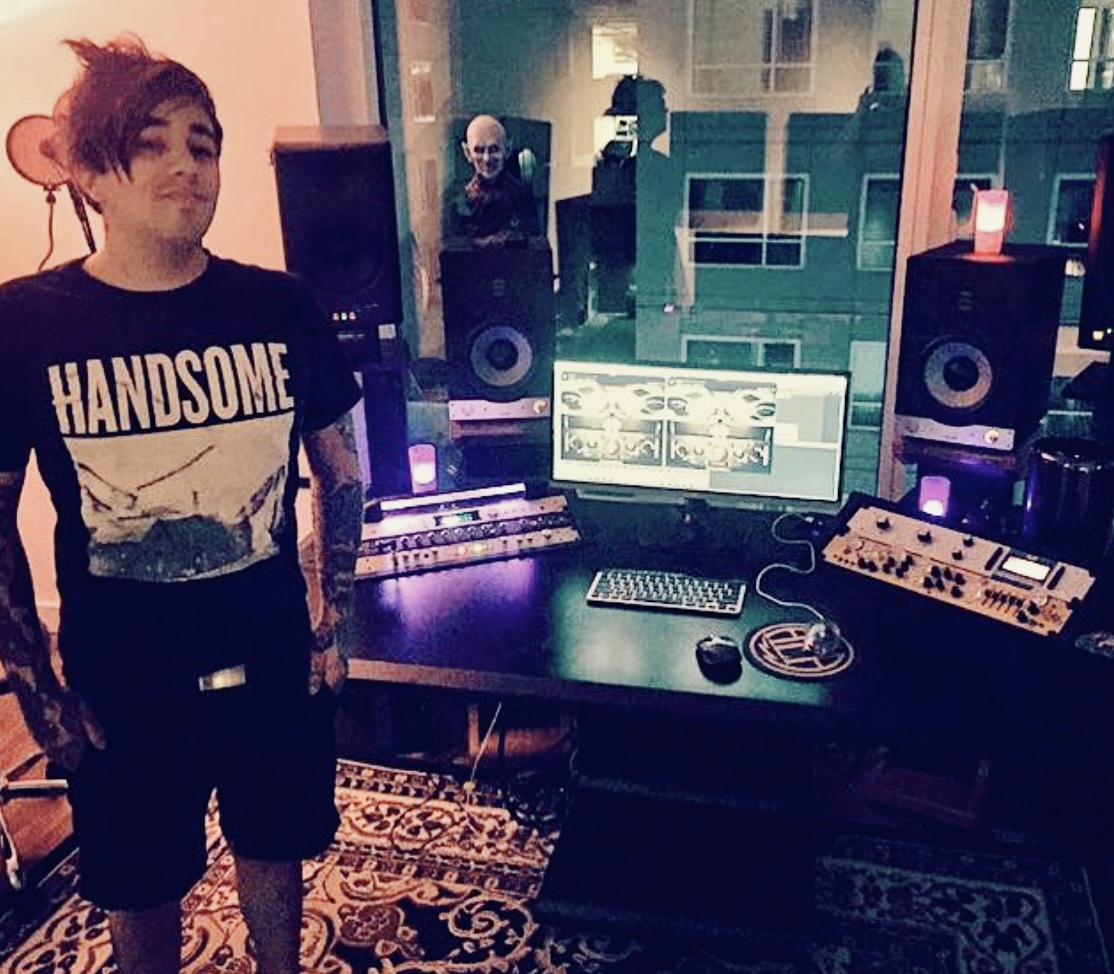
Professional studio demonstration of Kiss of Shame plugin at AES Convention

Running through an early pre-beta build of The Kiss of Shame at my former studio in the W Hollywood Residences - Los Angeles, California

Real-World Validation

The convention floor became our usability laboratory. Watching Grammy-winning engineers interact with the interface revealed critical insights about professional workflow integration.

The interactive reels, initially conceived as a novel interface element, proved to be the plugin's most compelling feature—engineers immediately understood the tactile metaphor.

Key Insights

Tactile Metaphors:

Physical interactions translated perfectly to digital interfaces

Visual Feedback:

Animated elements provided crucial processing state information

Workflow Integration:

Single-window design eliminated context switching

User-Centered Design

Designed for the Modern Audio Professional

The Kiss of Shame was crafted during the laptop recording revolution, when professional audio production was transitioning from dedicated studios to mobile workstations. Every design decision reflected the needs of diverse audio professionals working in varied environments.

Professional Audio Engineers

Studio & Post-Production

Engineers working in professional studios demanded authentic tape character without the maintenance overhead of physical machines. They needed precise control over degradation characteristics while maintaining zero-latency performance for real-time tracking and mixing.

Design Considerations:

  • • Comprehensive parameter set for precise sonic sculpting
  • • Professional-grade VU metering for gain staging
  • • Preset system for rapid workflow integration
  • • CPU-efficient algorithms for large session counts

Prosumers & Home Studio Owners

The Laptop Recording Revolution

The 2010s saw an explosion of bedroom producers and home studios powered by laptops. These users needed professional-quality tools that were intuitive enough to use without extensive training, yet powerful enough to compete with commercial releases.

Design Considerations:

  • • Single-knob "Shame" control for instant gratification
  • • Visual feedback through animated reels for learning
  • • Minimal CPU footprint for laptop processors
  • • Collapsible interface for 13-15" screen real estate

FOH & Live Sound Engineers

Mobile Rigs & Festival Systems

Front-of-house engineers increasingly relied on laptop-based systems for live sound processing. They needed tools that could add character to digital sources in real-time, with interfaces optimized for quick adjustments in high-pressure live environments.

Design Considerations:

  • • Large, touch-friendly controls for stage lighting conditions
  • • Minimal latency for live monitoring applications
  • • Stable performance under varying system loads
  • • Quick preset recall for different acts/songs

Sound Designers for Film

Field Recording & Post-Production

Film sound designers and foley artists working on location needed portable solutions that could add vintage character to field recordings. Mobile rigs on laptops required efficient interfaces that maximized limited screen space while maintaining creative flexibility.

Design Considerations:

  • • Collapsible reels to conserve 15" screen real estate
  • • Environmental presets (Hurricane Sandy) for narrative effects
  • • Batch processing capabilities for large sound libraries
  • • Authentic degradation for period-accurate soundscapes

The 15-Inch Constraint

In 2014, the MacBook Pro 15" was the workhorse of mobile audio production. Field recordists, foley artists, and traveling engineers needed every pixel of screen space for their DAW timeline and mixer views.

The collapsible reel design wasn't just aesthetic—it was a functional necessity. When collapsed, the plugin occupied minimal vertical space, allowing users to stack multiple instances while maintaining visibility of their session. When expanded, the reels provided tactile interaction and visual feedback without overwhelming the workspace.

Collapsed Mode

~180px height - essential controls only

Expanded Mode

~420px height - full interactive experience

The Laptop Recording Era

2010-2014:

Transition from desktop workstations to laptop-based production became mainstream

Mobile Workflows:

Field recording, location mixing, and remote collaboration required portable solutions

Screen Constraints:

15" displays (1440x900 or 1680x1050) demanded efficient UI design

Performance Demands:

Laptop CPUs required optimized algorithms for real-time processing

Reductionist Philosophy & UX Optimization

While competitors overwhelmed users with cognitively overloading interfaces packed with dozens of parameters, The Kiss of Shame pioneered a reductionist approach where minimal featureset directly informed algorithm development. This wasn't just aesthetic—it was a fundamental UX optimization strategy.

The audio plugin industry in 2014 was obsessed with exactly simulating 19-inch rack hardware, then cramming it into tiny plugin windows with small screen sizes, and finally adding features—mostly secondary add-ons that existed for the sake of existing, adding minimal sonic value. Tenured audio engineers, especially veteran professionals, consistently told me: "I just want a tape sim that I can instantiate on a track or bus and have it already sound good, not a million little parameters to tweak."

Inclusivity Through Design

Large format facilities had consoles and extensive hardware retrofitted with digital audio computer systems. Screens were secondary, often placed in small, inconvenient, unnatural positions—causing added strain, especially for older engineers who built their careers on tactile, physical equipment.

By employing bleeding-edge human factors research and UX/UI best practices from "big tech" (unprecedented in pro-audio at the time), The Kiss of Shame remedied these engineering obstacles. It was the first high-caliber tape emulation plugin to be truly user-centered, prioritizing accessibility and workflow efficiency over feature bloat.

Competitor Approach

Skeuomorphic hardware replication → Screen size reduction → Feature addition → Cognitive overload

Kiss of Shame Approach

User needs research → Minimal UI design → Algorithm optimization → Instant gratification
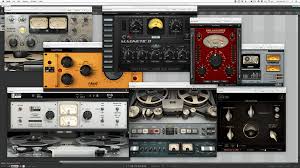
Collection of competitor tape emulation plugins showing cluttered interfaces with excessive parameters and controls

Typical competitor interfaces: Cognitively overloading designs with dozens of parameters, small text, and cluttered layouts that prioritized hardware replication over user experience

The "Big Tech" Design Ethos

User Research First:

Extensive field testing at AES 2014 with professional engineers informed every design decision

Accessibility Standards:

Large touch targets, high contrast ratios, and readable typography for aging eyes

Progressive Disclosure:

Essential controls immediately visible, advanced features accessible but not overwhelming

Performance Optimization:

Minimal UI complexity enabled maximum CPU allocation to audio processing algorithms
Information Architecture

Thoughtful Hierarchy

Every element's position, size, and visual weight was carefully considered to guide the user's attention through a logical progression of creative decisions.

Visual Hierarchy

The interface follows a clear visual hierarchy: the interactive reels command attention at the top, the central 'Shame' control anchors the experience, while supporting parameters maintain their importance without overwhelming.

Color, scale, and positioning work in harmony to create an intuitive flow that mirrors the natural progression of tape processing decisions.

Primary Controls

Reels, Shame knob - immediate visual focus

Secondary Controls

Age, Environment - supporting parameters

Utility Controls

I/O trim, blend - workflow essentials

Feedback Elements

VU meters - processing visualization

Logic Pro X (AU) demonstration showing real-world parameter interaction and workflow integration

Technical Innovation

Analog Circuitry & Magnetic Tape Emulation

Design-driven algorithm development where user experience requirements shaped the fundamental approach to magnetic tape and analog circuitry modeling.

Design-Driven Emulation

Rather than modeling every aspect of magnetic tape physics, we identified the most musically significant degradation characteristics and built our algorithms around them. The interface dictated which phenomena deserved computational resources.

This selective approach allowed us to achieve authentic tape character while maintaining real-time performance—a critical constraint that shaped every algorithmic decision.

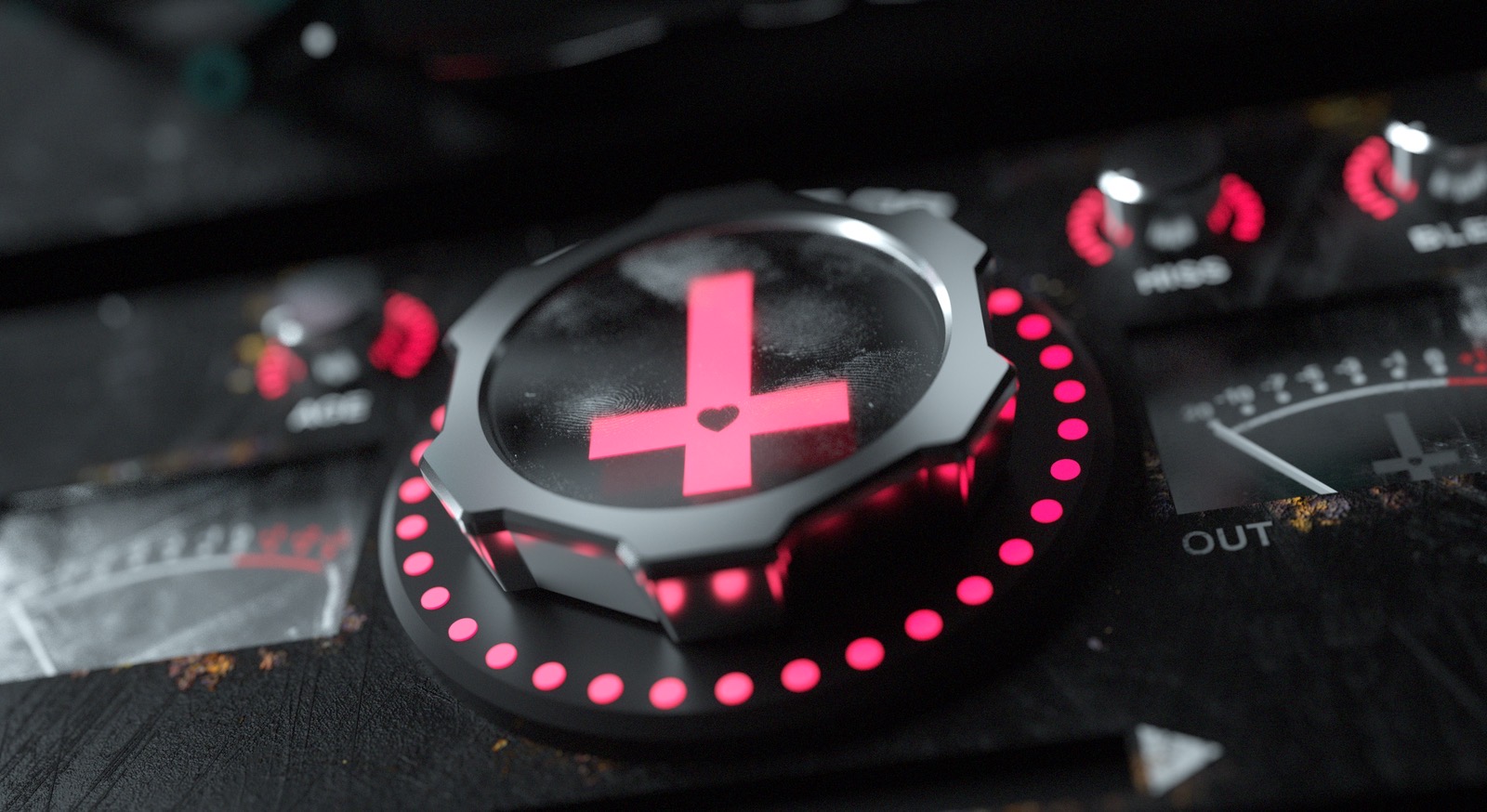
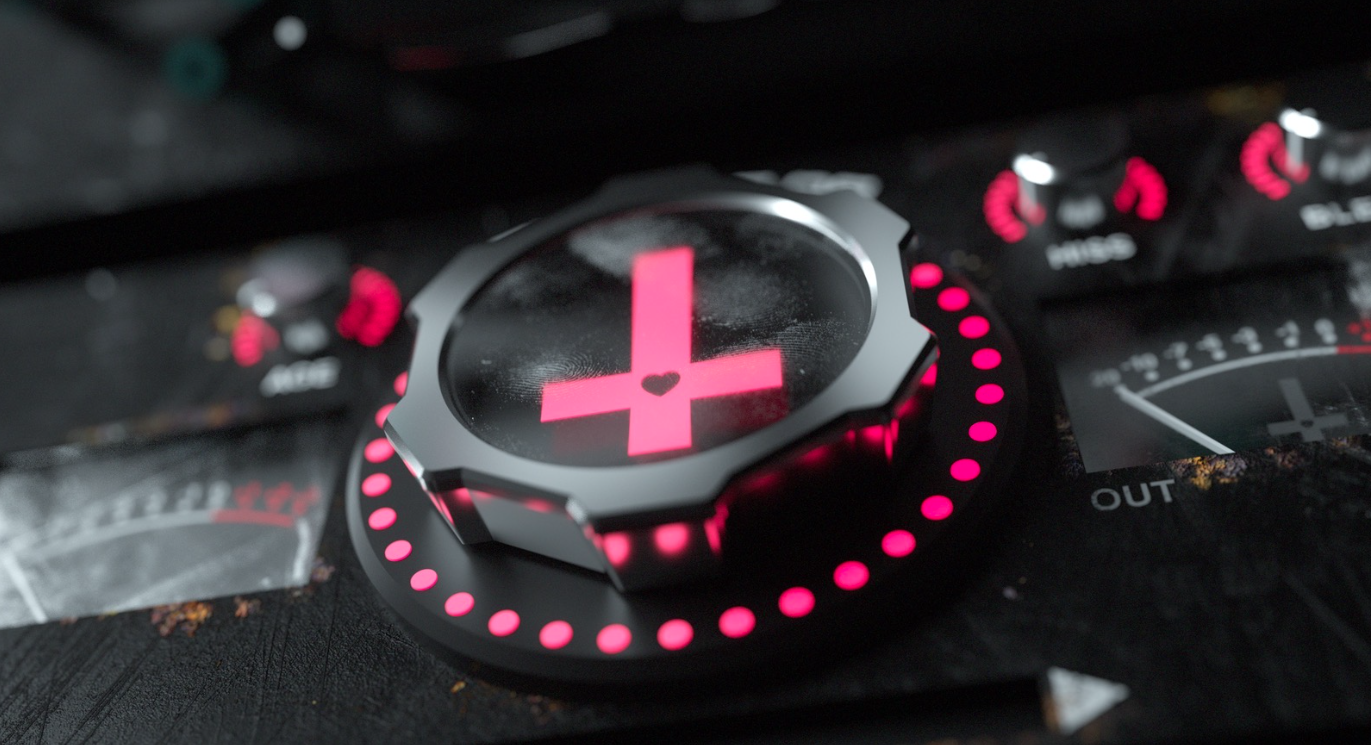
Close-up of professional audio hardware featuring the signature pink cross logo with LED ring

Physical hardware inspiration: The signature pink cross and LED ring that influenced both visual design and algorithmic approach
Design-Driven Algorithm Selection

Each emulated phenomenon was chosen not for technical completeness, but for its contribution to the user's creative workflow and sonic palette.

Wow & Flutter

Modeled as time-varying delay lines with stochastic period fluctuations, controlled by the central Shame parameter for intuitive creative control.

playPosition = curPos + depth * processWavetable()

Print-Through

Mechanical speed fluctuations that became sonic signatures of classic recordings, implemented as controlled bleed-through effects.

bleedSignal = previousLayer * printThroughAmount

Reel Dynamics

Expansion and contraction modeling affecting tape tension and speed consistency, visualized through interactive reel animations.

tension = baseValue * (1 + thermalExpansion)

Machine Learning Integration

We were pioneers in applying machine learning to account for the vast nonlinearities inherent in magnetic tape and analog circuitry. The AI didn't replace traditional DSP—it enhanced it.

Neural networks learned the complex interactions between multiple degradation factors, allowing single-parameter control of multi-dimensional sonic transformations.

Nonlinearity Modeling

Hysteresis Effects:

Magnetic domain memory affecting signal reproduction fidelity

Saturation Curves:

Non-linear tape response to varying signal levels and frequencies

Cross-Parameter Interactions:

Complex relationships between age, environment, and sonic characteristics

Human Factors for Audio Engineering

The emulation algorithms weren't just technical achievements—they became the foundation for innovative user interaction paradigms.

Interactive Reel Metaphor

The physical act of touching spinning reels became a direct manipulation interface for flanging effects. The emulation's delay line parameters responded to gesture velocity and pressure, creating an intuitive connection between physical action and sonic result.

Design Innovation: Real-time visual feedback where reel animation speed directly correlated with flanging intensity, making the invisible audible through motion.

Environmental Storytelling

The Hurricane Sandy environment setting transformed technical parameters into narrative elements. Users weren't adjusting abstract values—they were exploring the sonic archaeology of flood-damaged tape, making parameter exploration emotionally engaging.

UX Innovation: Environmental presets that bundled complex parameter relationships into meaningful, story-driven contexts.

Revolutionary Features

First-of-its-kind tape emulation with comprehensive modeling of magnetic particle instability, substrate deformation, and machine learning-driven nonlinearities.

Interactive Reels

Touch-responsive animated reels for real-time flanging effects, simulating physical tape manipulation.

Environment Simulation

Hurricane Sandy environment modeling with authentic flood damage effects on magnetic tape characteristics.

AI-Driven Processing

Machine learning algorithms account for vast nonlinearities in magnetic tape and analog circuitry.

Comprehensive Modeling

Drift, wow, flutter, scrape-flutter, print-through, and reel expansion/contraction simulation.

Technical Innovation

Advanced DSP algorithms and innovative UI design patterns that set new standards for audio plugin development.

Input Saturation Engine
Dual-path harmonic waveshaping with separate odd and even harmonic processing

The plugin employs sophisticated waveshaping algorithms using hyperbolic tangent functions to generate authentic tape saturation characteristics. Odd harmonics are processed throughtanh(2.0f * x) while even harmonics use tanh(0.272f * abs(x)).

Key Innovation: Real-time harmonic blending with 4kHz low-pass filtering to model high-frequency losses in vintage tape systems.

Hurricane Sandy Environment
Complex multi-stage degradation modeling based on flood-damaged tape characteristics

This groundbreaking feature simulates the sonic effects of tape damaged in Hurricane Sandy's flood waters, including periodic noise bursts, amplitude modulation through pink noise grains, and low-frequency rumble integration.

Noise Burst Generation

350ms envelope cycles with triangular bursts and 200ms silence gaps

Granular Modulation

Pink noise grains with 2kHz LP and 50Hz HP filtering for authentic scratch simulation

Kiss of Shame Interface Background

Impact & Recognition

The Kiss of Shame's open source release generated significant excitement in the audio development community.

2014

Original Development

2024

Open Source Release

117+

Stars on GitHub

That 2024 release happened because Matthijs Hollemans revived it. The plugin had been sunsetted for a decade — he brought the code back to a working build, shepherded it out into the open, and drew renewed attention to a project that had otherwise gone quiet. Everything in the numbers above traces back to that.

"It's the world's first (and to my knowledge) only tape/analog circuitry emulation plugin that realistically models the effects of magnetic particle instability, lubricant loss, substrate deformation, drift, scrape-flutter, print-through and reel expansion/contraction."
— Eros Marcello, Original Developer
Rev 2

Under the Hood

Rev 2 is a refresh, not a redesign. The 2014 design thesis is untouched — the same seven controls, the same faceplate, the same reductionist argument. What changed is everything behind it.

The constraint held

Every Rev 2 addition had to either finish an unkept promise of the original design or deepen the experience without widening the control surface. Tape speed selection, bias and EQ-curve menus, multi-machine modeling — all proposed, all rejected. A decade later the answer to parameter bloat is still no. There is no eighth knob.

Promises Kept

The front panel finally does what it says

  • All five environments, implemented. The original shipped Hurricane Sandy alone — Studio Closet, Humid Cellar and Hot Locker were enum values and nothing more. Each is now its own degradation recipe: dry oxidation and dropouts, sticky-shed muffling, heat warp and sagging level.
  • Tape formulation actually voices. S-111 and A-456 now drive different saturation curves and different noise floors instead of switching a label.
  • PRINT THRU is a real stage — a lowpassed post-echo breathing behind the program, not a placeholder.
  • AGE drives all of it. Environment picks the story; AGE sets how long the reel suffered it.

Rebuilt Foundation

JUCE 3.1 idioms to a modern codebase

  • JUCE 8 on CMake. The 2014 source didn't compile on anything current. Legacy project files are gone; JUCE is fetched automatically.
  • Real parameter state. Index-based get/setParameter replaced with AudioProcessorValueTreeState and versioned IDs — robust automation and session recall, which the original never had.
  • Sample-rate independence. The hard-coded 44.1 kHz define is gone; every module takes the rate at prepare time and the noise beds resample on load.
  • Assets embedded. No more hard-coded /Users/Shared paths — the graphics ship inside the binary.
  • Denormal protection, click-free bypass (50 ms crossfade back to the untouched input), rebuilt playhead handling, and explicit mono/stereo channel layouts.

Proven, Not Claimed

The part 2014 never got to

  • Cross-platform CI on macOS, Windows and Linux — AU, VST3 and Standalone built on every commit.
  • pluginval gating. Every run puts the VST3 through validation, the systematic answer to the per-host anomalies we used to chase by hand.
  • Offline audio smoke tests — pass-through, Shame and EXTREME, all six environment positions, state round-trip.
  • A pixel-diff on the Shame knob, so the cross animation can never silently stop again.
  • AAX target ready for Pro Tools, pending Avid's SDK and signing.

Shame EXTREME

SHIPPED

Double-click the cross. Like an LA-2A with all of its buttons pressed in at once, EXTREME drives the wow/flutter/drift engine past its design stops and engages a scrape-flutter component no front-panel setting can reach. The backlight runs hot while you're in it; double-click again to come back.

It saves with your session, but it is deliberately not a parameter and not a menu item. A secret handshake costs zero pixels — which is the only reason it was allowed to exist.

The Era Switch

IN PROGRESS

A one-click toggle between the original skeuomorphic Mac OS X-golden-era faceplate and a modern flat, dimensional theme — labelled 2014 / NOW, with a ~300 ms crossfade between them. Both eras carry the complete feature set; a skin that drops the interactive reels would make one of them the real plugin and the other a costume.

The switch itself is a protected plunger: press it into the faceplate and hold until it arms with a pink ring. A casual tap just springs back — the same interlock real tape machines used on the controls you couldn't afford to hit by accident.

Interactive Demo

Reach Out and Touch Tape

The real Rev 2 signal path, running in your browser on the original 2014 faceplate. Roll tape, or load your own file and print it through the machine.

Drag any knob (up or right) to turn it, shift-drag for fine control, and double-click to reset. Drag the reels to lean on the tape. Double-click the cross for EXTREME. Double-click the bare faceplate to fold the reels away.

The Controls

INPUT TRIM
Drive into the tape path (±18 dB). Push it and the dual odd/even-harmonic saturation leans in; this is where the warmth lives.
SHAME
The center knob. One macro driving drift, wow, flutter and scrape-flutter together: mild color at 9 o'clock, seasick mangling at full. Double-click the cross for EXTREME and the engine runs past its design stops.
ENVIRONMENT
Where the reel was stored. Studio Closet (dry oxidation: dulling, dropouts, stray crackle), Humid Cellar (sticky-shed: drowned highs, slow swell, damp rumble), Hot Locker (heat warp: drifting pitch, sagging level, hard echoes), Hurricane Sandy (the flood reel: bursts, grit and survival). Click the LED window to cycle, scroll to step.
AGE
How long the reel suffered there. Environment picks the story, AGE sets the damage. At zero, the environment idles.
HISS
The noise floor of the medium, crossfade-looped so it never repeats. It scales with tape formulation.
TAPE: S-111 / A-456
Two formulations. S-111, the darker 1950s to 70s reference reel with richer even harmonics. A-456, the high-output/low-noise workhorse: brighter, tighter, with a quieter floor.
PRINT THROUGH
Adjacent tape wraps magnetizing each other: a soft, dulled echo breathing ~110 ms behind the program. It's the classic ghost of worn masters.
BLEND
Dry/wet against the driven signal: the parallel-processing knob. Full right is all tape.
OUTPUT TRIM
Make-up gain (±18 dB). The chain-link icons couple INPUT and OUTPUT inversely for level-matched driving.
THE REELS
They spin with playback and they're instruments: drag them vertically to lean on the tape for real-time flange, released exactly where you leave it.
BYPASS
The lamp shows it, the lever throws it. It's click-free either way.

Tricks & Tips

  • EXTREME: Double-click the cross. All-buttons-in mode: 2.5× modulation depth, looser timing, scrape-flutter engaged. It's saved with your session in the plugin; no extra parameter, no menu.

  • Lean on the tape: Drag the reels mid-phrase and release for tape-stop-adjacent warbles and dub-style smears. Double-click the reels to let go cleanly.

  • Shift-drag any knob: Fine adjustment. Double-click (except SHAME) snaps it home.

  • Fold the machine: Double-click the empty faceplate and the reels tuck away for small screens, exactly like the plugin's collapsible UI.

  • AGE before ENVIRONMENT: Sounds like nothing, and that's correct. Pick the room first, then dial the years.

  • Sandy past noon: Hurricane Sandy holds its noise bursts back until AGE crosses 50%. The flood arrives all at once.

In Practice

Where to Put It

Starting points from a decade of using this thing on real sessions.

Single Tracks

Vocals: A-456, INPUT pushed slightly, SHAME 10-15%, BLEND ~60% and air turns to velvet. Keys and guitars: S-111, SHAME 20-35% for that pawn-shop chorus nobody can name. Drums: drive INPUT hard, BLEND to taste.

Drum & Aux Busses

The parallel move: BLEND 30-50%, INPUT hot, OUTPUT linked low. Studio Closet + AGE ~40% glues transients with oxide instead of a compressor. Print Through ON adds room-like density between hits.

The Mix Buss

Restraint: INPUT near noon, SHAME under 15%, BLEND 20-35%, environment Off or a hair of Closet. You should miss it when you bypass it, not hear it when it's in.

Mastering

S-111 for color, A-456 for glue. INPUT at unity, SHAME ≤ 10%, HISS off or whisper, BLEND 15-25%, watch the IN/OUT meters match. Uploading above? Set it, then DOWNLOAD MASTER prints your file through the machine at full resolution.

Sound Design & Post

This is where it goes feral: Hurricane Sandy, AGE 100%, EXTREME on, reels dragged by hand. Instant archival trauma, period-correct decay, transmissions from drowned decades.

The Team

Credits

Twelve years, two lives, four people.

Eros Marcello

Founder, Chief Product Architect

Conceived the plugin, drove the interface-first design thesis, ran the AES 2014 research, and open-sourced the code so it would outlive the company.

Brian Hansen

DSP Engineering / Algorithm Development

Built the signal path — the saturation stages, the wow/flutter/drift engine behind the Shame knob, and the Hurricane Sandy degradation model. His 2014 algorithms are still what you hear.

Yannick Bonnefoy

GUI / Visual Design

Drew the machine: the faceplate, the filmstrip knobs, the animated reels, the pink cross. Every pixel in the demo above is his artwork, unretouched.

Matthijs Hollemans

Revival & Open-Source Release

Brought it back. The plugin had been sunsetted for a decade when he picked the code up, got it building and passing audio again, and released it into the open — earning the attention and the community that Rev 2 is built on. Everything past 2024 starts with him.

Copyright © 2014-2026 Eros Marcello. Released under the GNU General Public License v3.0. JUCE is copyright © Raw Material Software.

Demos + Influencer Reviews

Media

Experience the intuitive interface + hear the unique tape emulation that captivated the pro-audio community.

Original Product Teaser

"It's the Greatest Thing Since Sliced Tape"

Professional Review
In-depth analysis and demonstration

Comprehensive walkthrough of features and real-world application in professional mixing scenarios.

Quick Demo
Fast-paced feature showcase

Rapid demonstration of the interactive reels and tape degradation effects in action.

Community Review
User experience and feedback

Community feedback and real-world usage examples from audio professionals.

Technical Analysis
Deep dive into features

Technical breakdown of the plugin's innovative features and implementation details.